
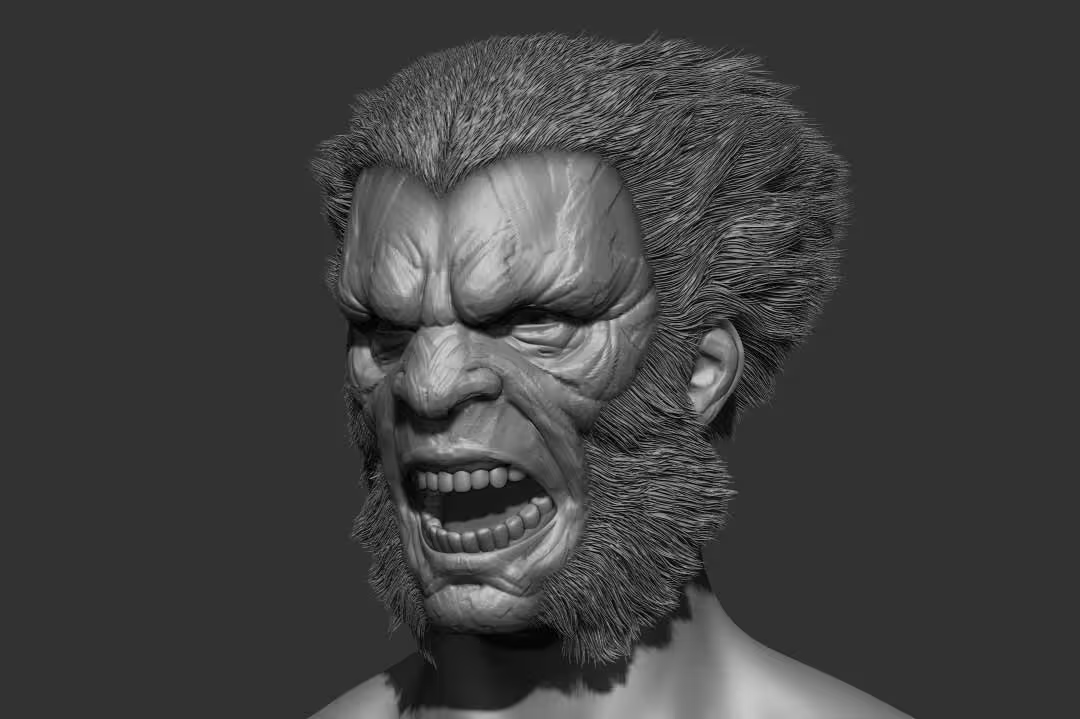
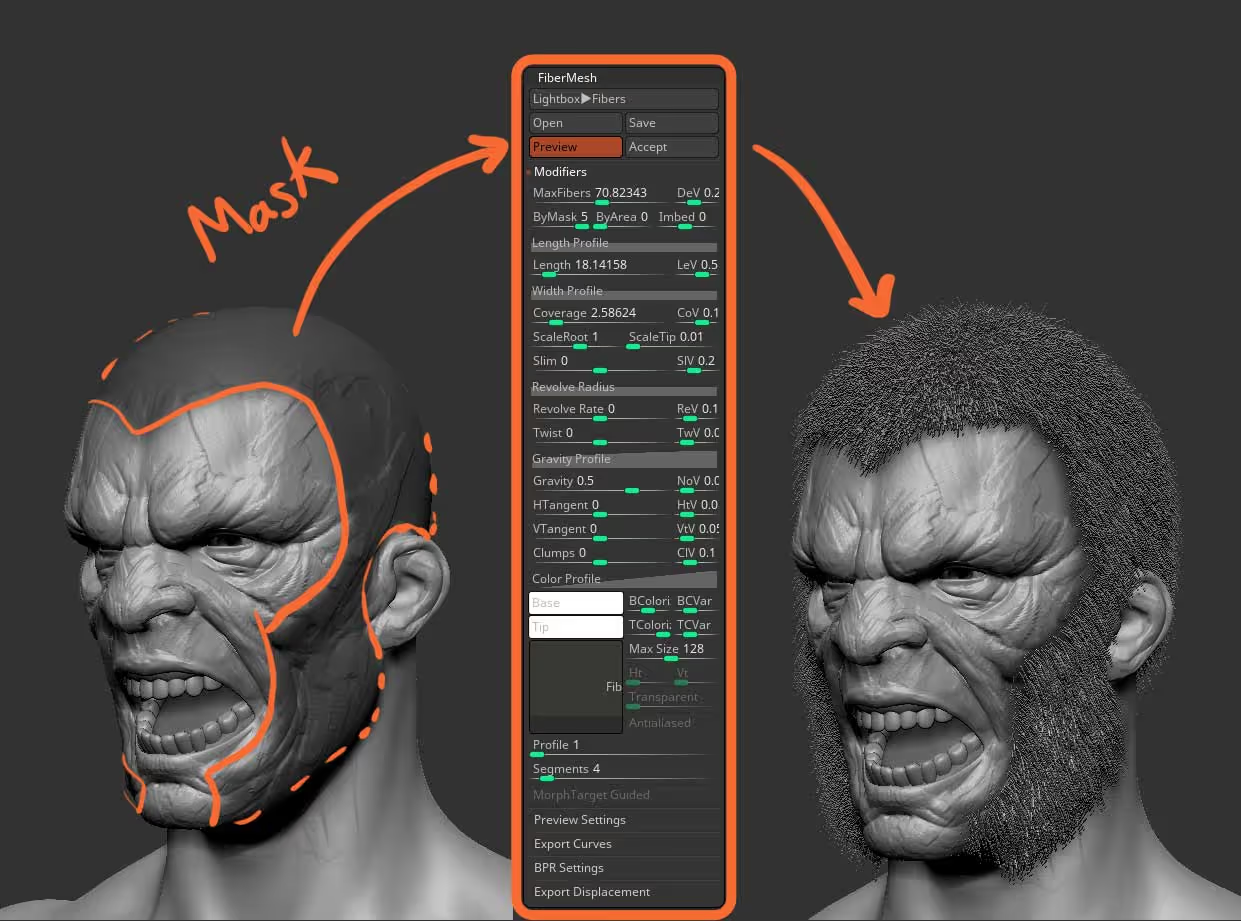
I took a quick sketchy head and masked some areas to tell ZBrush where I wanted to grow the Fibers. I tweaked the settings a tiny bit (you can copy the settings below if you want) and created the FiberMesh object for grooming:
I then use a custom brush from my FiberMesh grooming pack to give the hair the initial direction but you can use the default grooming brushes, something like 'GroomHairToss' will do just fine.
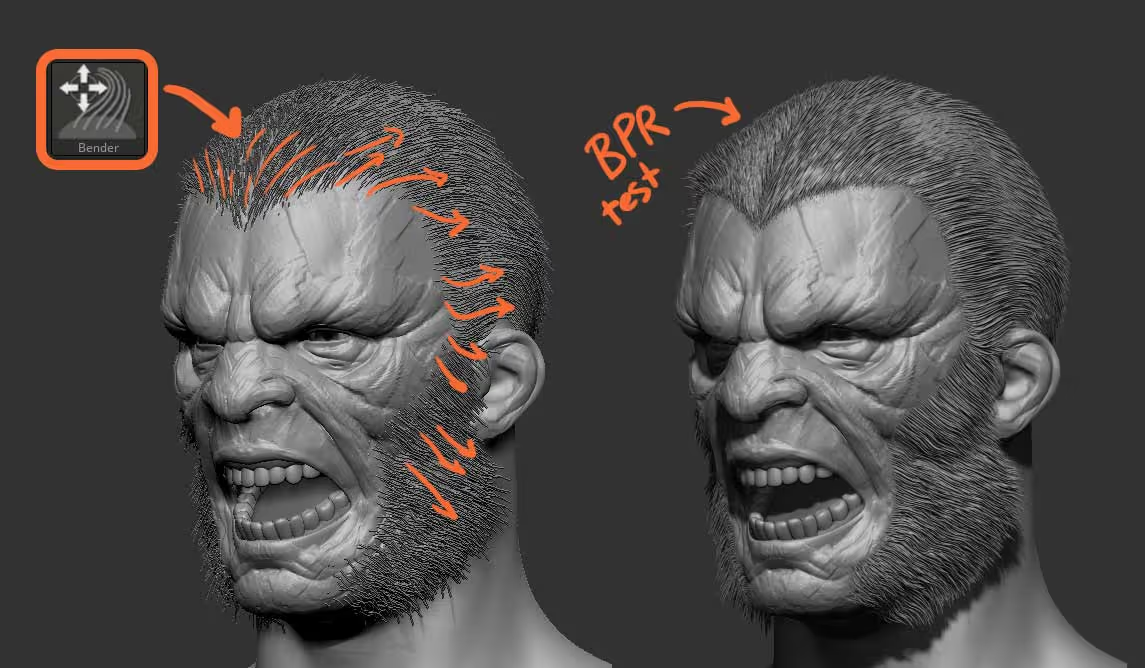
Now, here is where things get interesting... I could use a grooming brush like the 'GroomLengthen' brush to pull the fibers and add some more length (to go for that wolverine type of hairstyle), but I have to be careful not to overdo it. With the introduction of AdjustLast slider (stroke palette), I can just do a tiny nudge in the direction I want to pull the hair, and use the AdjustLast slider to exaggerate and tweak the 'nudge':
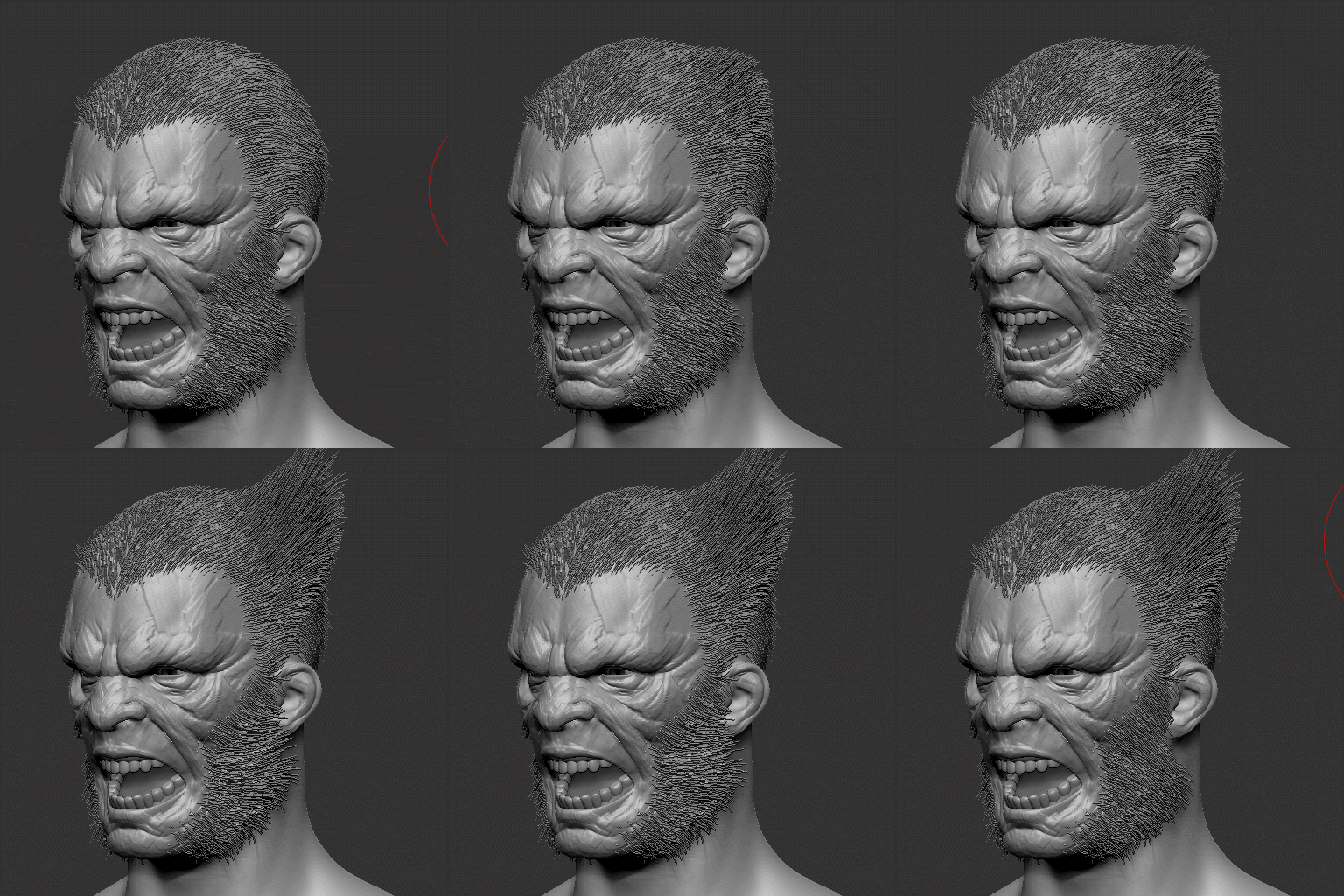
How cool is that? also... in case you were not aware, FiberMesh also works with sculpting layers, so you can start recording on a layer, do a little nudge with the grooming brush and then use the AdjustLast to exaggerate the effect and you have full control of the intensity with the layer ;)
I found this technique particularly useful to set up quick variations on clumps of hair and to exaggerate the direction of certain pieces of the FiberMesh:
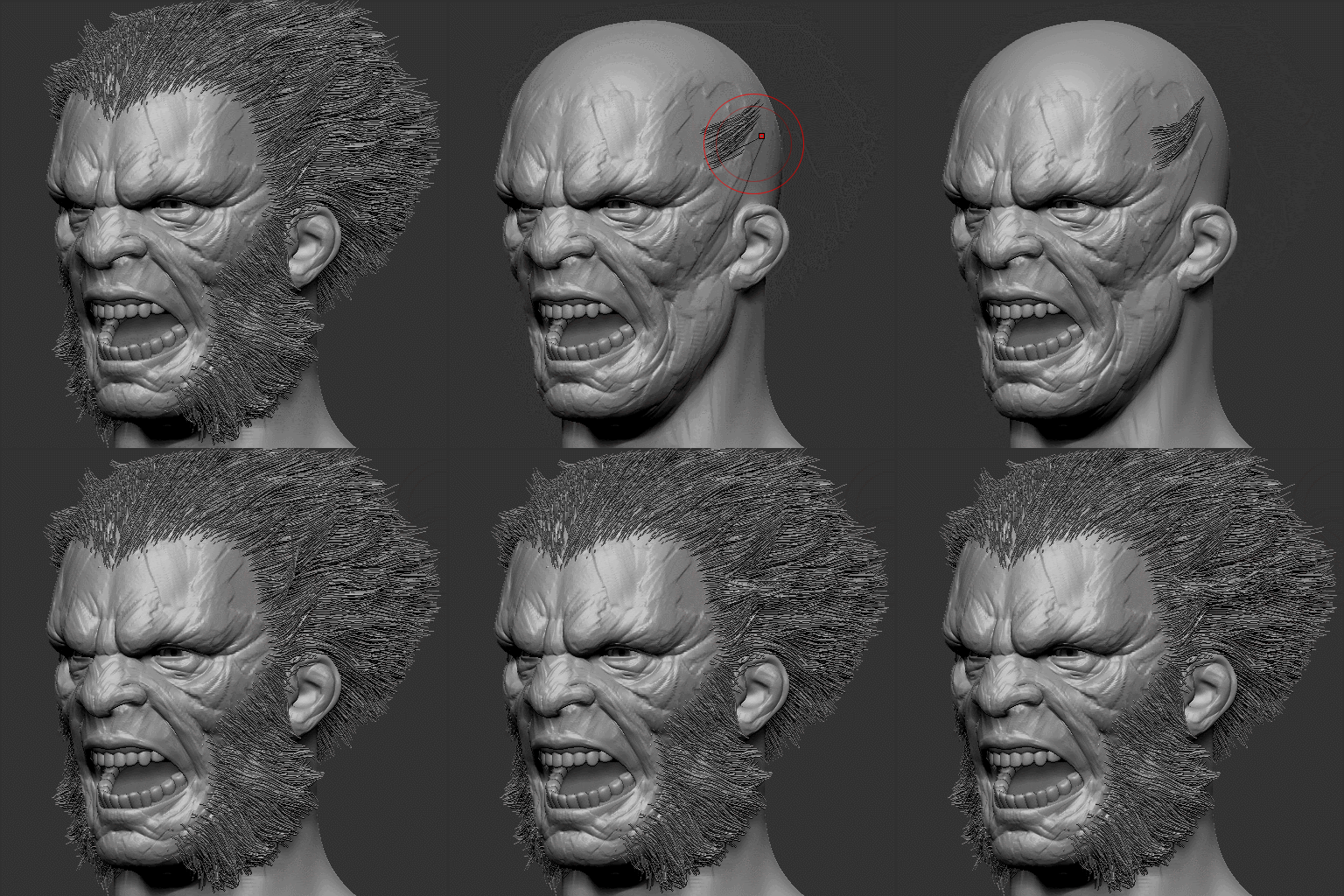
That's it! hopefully, you find this useful and let me know if you find other cool applications for this workflow!


.jpg)

.jpg)
.jpg)