.jpg)







1. Timer Cube - Simple Focus and Time Management
The Timer Cube is a palm-sized hardware timer with preset intervals on each face. Flip it to start a session, flip it up to pause, and flip it over to reset. It’s essentially a tactile Pomodoro tool that keeps small tasks contained so the main project stays protected.

Specs & features
- Preset timers (common presets like 20, 30, 60 minutes)
- Flip-to-start / flip-up-to-pause interaction
- Manual mode available on some models
- Battery powered, very low learning curve
How it’s used in the studio
Use a 20–30 minute block to clear email, file cleanup, or quick administrative tasks. Reserve a 60-minute block for focused sculpting practice. The rule is simple: when the timer stops, stop. This prevents small tasks from expanding and stealing momentum from the day's main highlight.
Pros
- Extremely cheap and durable
- Physical interaction reinforces commitment
- Presets remove decision overhead
Cons
- Limited customization on basic models
- Manual mode can be clunky on some units
Who it’s for
Artists and creators who want a low-friction way to manage short tasks and practice sessions without relying on phone apps or desktop timers.
Recommendation
Buy one if you struggle with procrastination or task creep. It’s a cheap behavioural nudge that reliably protects important creative time.
2. Gyro Ball - Quick Forearm Warmup
The gyro ball is a small handheld device with an internal weighted sphere. Spin the sphere and use wrist rotation to build and sustain momentum. If you stop, the gyroscopic inertia pulls against your grip, forcing your forearm and wrist to engage.

Specs & features
- Mechanical gyroscope inside a hollow shell
- No power required beyond initial spin
- Portable and silent
How it’s used in the studio
Use it for under a minute several times a day as a warmup after long sculpting or painting sessions. It’s not a medical device; it’s a simple habit to maintain comfort and consistency in the wrists and forearms.
Pros
- Fast and portable warmup
- Engages multiple muscles through inertia
- Very low cost
Cons
- Not a substitute for professional rehab
- Benefits rely on consistent use
Who it’s for
Digital sculptors, painters, and anyone who spends long hours with a stylus or mouse and wants a quick, effective way to introduce micro-movement into their day.
Recommendation
Keep one near the desk. A minute or two a few times daily is enough to notice improved comfort over weeks.
3. Upright Go 2 - Passive Posture Training
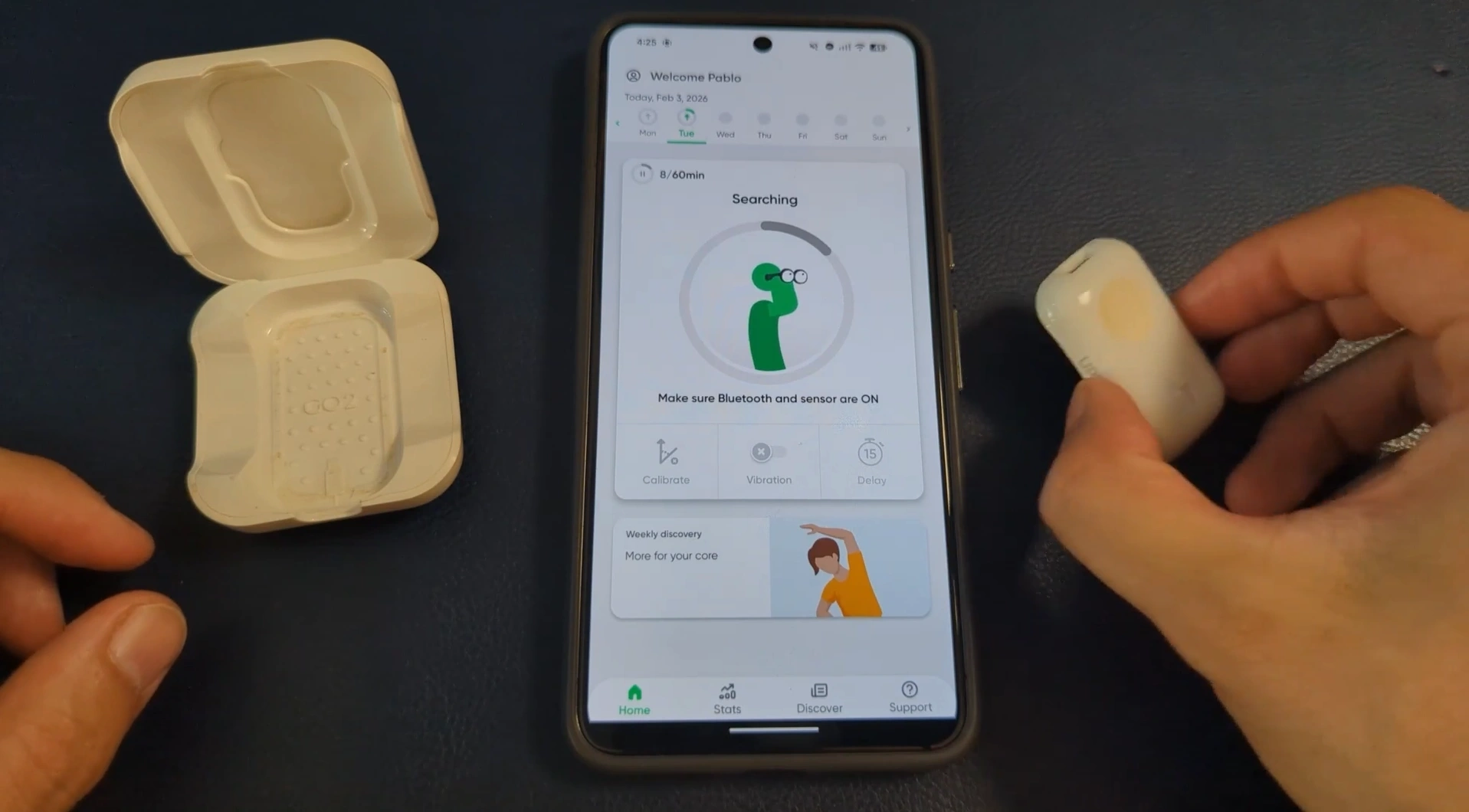
The Upright Go 2 is a tiny Bluetooth posture trainer that adheres to the upper back and vibrates when the user slouches for a configurable delay. It pairs with a phone app for setup and visual feedback and charges via USB-C.
Specs & features
- Adhesive-backed wearable with Bluetooth
- USB-C charging and small carry case
- Configurable vibration delay via app
- Lightweight and discreet
How it’s used in the studio
The device sits on the shelf or in a case and is worn during long sculpting or painting sessions. When posture tilts for more than a few seconds, the device gives a gentle buzz. The app shows a simple real-time character that moves as posture changes, reinforcing awareness without intrusive notifications.
Pros
- Passive, non-intrusive reminders
- Builds long-term posture awareness
- Lightweight - often forgotten while still working
Cons
- Requires regular, not constant, use to change habits
- Adhesive pads need replacement over time
Who it’s for
Anyone who loses track of posture during long, focused sessions. Especially useful for creators who lean toward the monitor while checking tiny details.
Recommendation
The Upright Go 2 is worth the investment if posture is a recurring issue. The small, consistent nudges paid back over months with less neck and back fatigue.
4. USB Microscope - Close-Up Material Reference
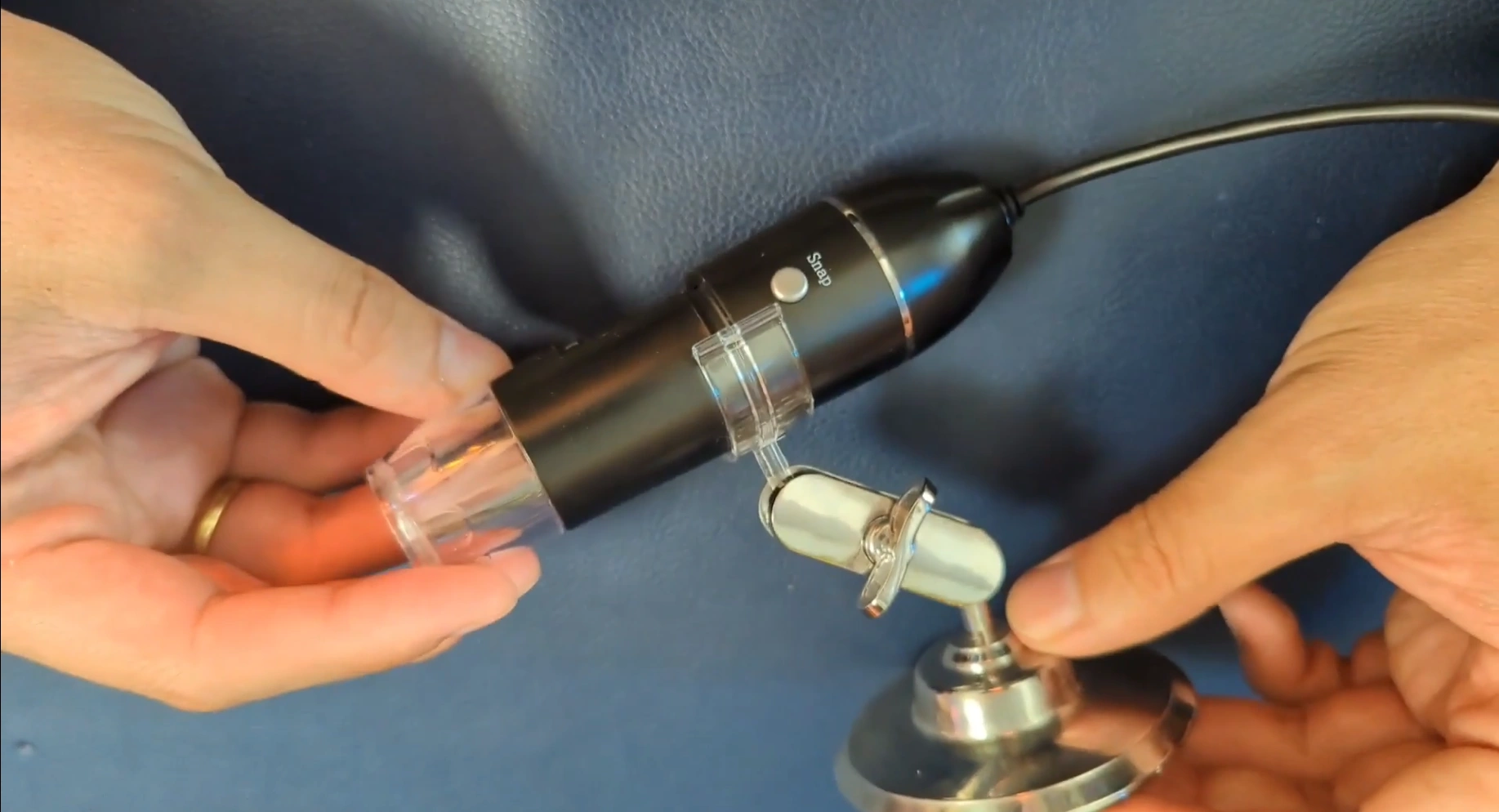
A cheap USB microscope connects to a phone or PC and magnifies surfaces to reveal scratches, fabric weave, dust, and subtle roughness variations. It’s a practical reference tool for building believable materials in tools like Substance 3D Painter.
Specs & features
- USB connectivity (phone or PC compatible)
- Basic adjustable focus ring
- Low to moderate resolution - acceptable for study
How it’s used in the studio
Plug into the computer, point at a material, and adjust focus. Use it to study surface breakup, micro-scratches, fabric weave, and dust distribution. The goal is not 1-to-1 copying but to understand how real surfaces behave so custom smart materials feel believable.
Pros
- Very affordable (one model mentioned around $20)
- Reveals detail scale and structure that photos can miss
- Flexible - works with phone or PC
Cons
- Resolution limits how much can be extracted
- Lighting and stability can affect clarity
Who it’s for
Texture artists, material creators, and anyone who wants to build more believable PBR materials by studying real-world micro details.
Recommendation
Consider it a learning tool. For the price, the microscope offers a surprisingly powerful boost to material literacy.
5. Smart Plug + Power Board - Inexpensive Studio Automation
A single smart plug controlled by Google Assistant or another voice assistant turns an ordinary power board into a hub for making lights and devices voice controllable. This is a cost-effective alternative to replacing every bulb with a native smart version.

Specs & features
- Wi-Fi smart plug compatible with voice assistants
- Plug the studio power board into the smart plug
- Everything on the power board becomes controllable via voice or automations
How it’s used in the studio
Pablo plugs his backdrop and many studio lights into a single power board, then connects that board to a smart plug. With a voice command, multiple lights and devices turn on or off at once. For precision lighting, a couple of Philips Hue bulbs remain individually addressable, controlled with a Stream Deck.
Pros
- Much cheaper than replacing every device with a smart version
- Simple voice control for a one-step studio setup
- Fades into the background once configured
Cons
- All plugged devices share the same power state when on the same board
- Potential for accidental power cycling of sensitive gear - be selective
Who it’s for
Anyone building a compact studio who wants basic smart control without a large investment. Ideal for streamers, content creators, and small studio setups.
Recommendation
Use a smart plug and a dedicated power board for backdrop and ambient lights. Keep sensitive equipment on separate circuits to avoid accidental resets.
Final Thoughts and Buying Guidance
These five gadgets share a common quality: they remove daily friction without adding complexity. None are flashy, but each returns value through consistent, simple use. For a creative workflow, the right small tool can protect focus, support comfort, and raise the realism of materials.
Quick buying tips
- Timer Cube - pick a model with clear presets and reliable flip detection.
- Gyro Ball - choose a well-built unit with smooth internal bearings.
- Upright Go 2 - check adhesive pad supply and app compatibility.
- USB Microscope - expect modest resolution but great learning value; buy one with a stable stand.
- Smart Plug - select one compatible with your voice assistant and rated for the power draw of your setup.
Small investments, used consistently, compound into noticeably better workdays. These gadgets are recommended for artists who want practical improvements without overhauling their studio with expensive tech.

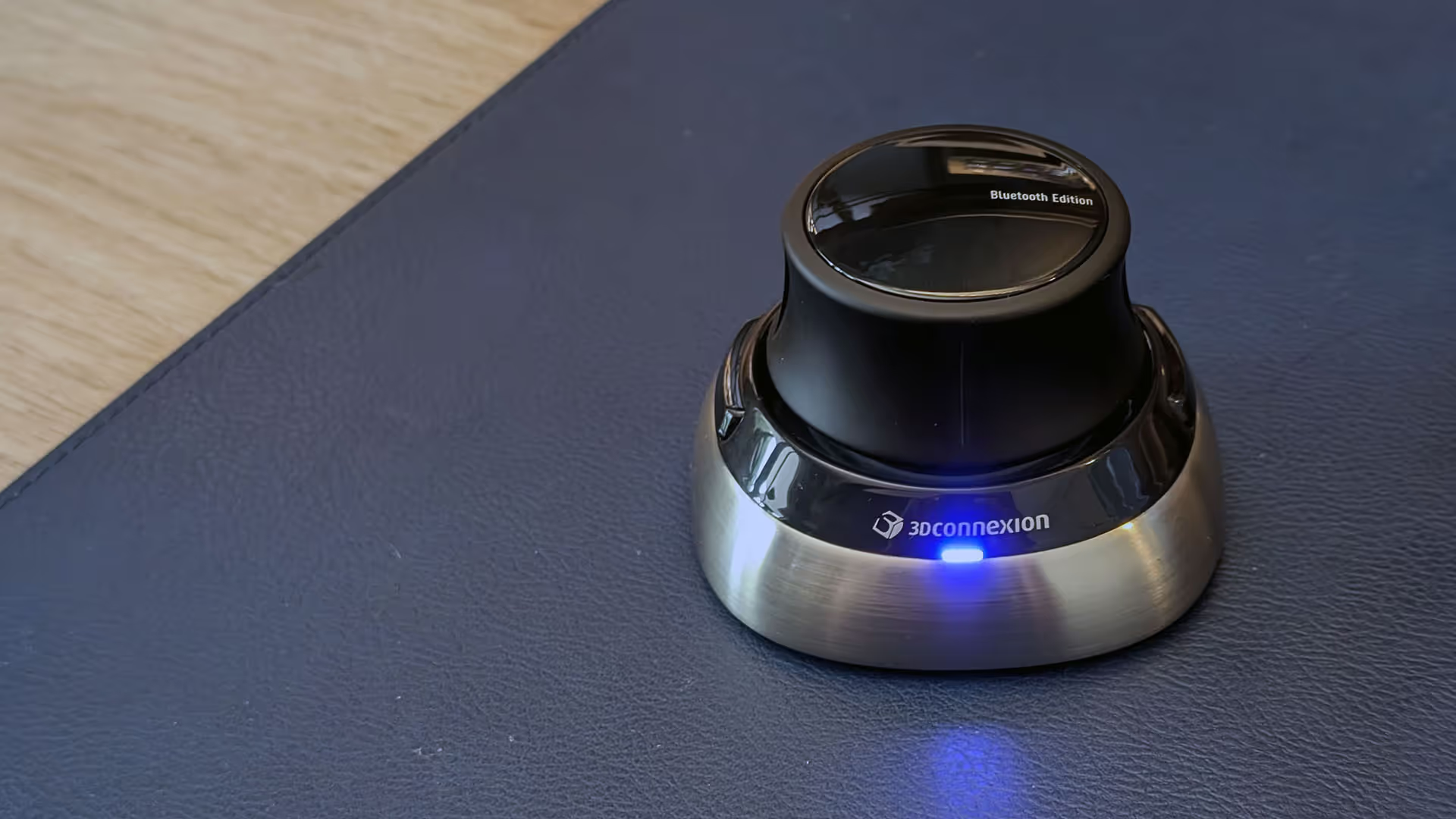
Quick review of the SpaceMouse Wireless bluetooth
In this "Quick review of the SpaceMouse Wireless Bluetooth!" video, I’ll show you the compact, versatile SpaceMouse Wireless for its intuitive dial and seamless 3D navigation across applications like ZBrush, Substance Painter, and Blender.
Check it out